Buy inkjetfills.com ?
We are moving the project
inkjetfills.com .
Are you interested in purchasing the domain
inkjetfills.com ?
domain@kv-gmbh.de · 0541-91531010
Buy inkjetfills.com ?
Where can I find information on troubleshooting the black printer cartridge problem in the device manual?
You can find information on troubleshooting the black printer cartridge problem in the device manual under the troubleshooting or maintenance section. Look for a specific section related to printer cartridge issues or printing problems. The manual should provide step-by-step instructions on how to identify and resolve issues with the black printer cartridge, including common problems and potential solutions. If you can't find the information in the manual, you can also try contacting the manufacturer's customer support for assistance. **
Can you help me with troubleshooting Fagor?
Yes, I can help you troubleshoot Fagor appliances. Please provide me with specific details about the issue you are experiencing, such as the type of appliance and the symptoms of the problem. With this information, I can offer guidance on potential solutions or recommend contacting a professional technician for further assistance. **


Similar search terms for Troubleshooting
Top-Angebote
Products related to Troubleshooting:
-
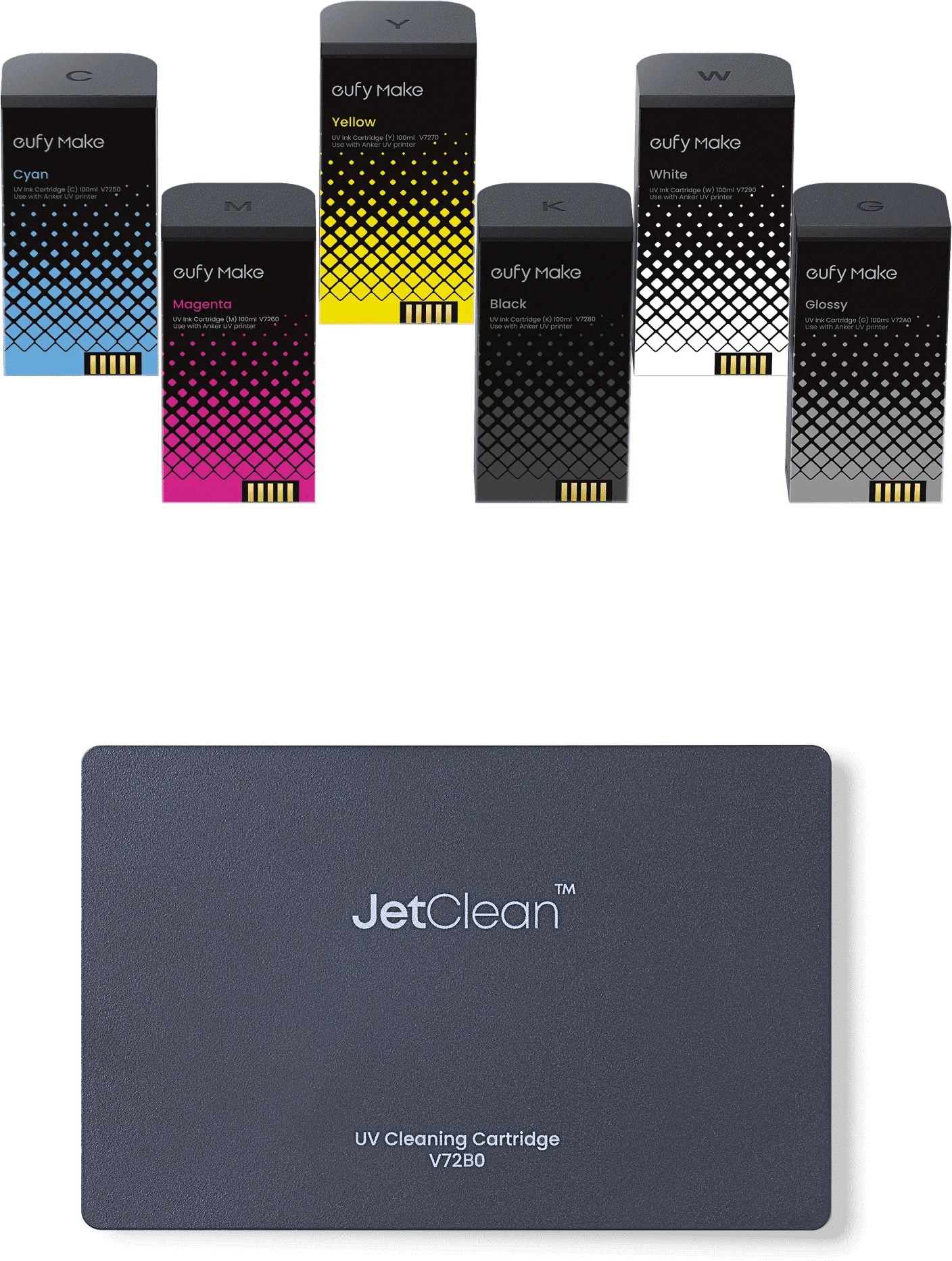
eufyMake Ink and Cleaning Cartridge Kit for UV Printer E1 Ink Cartridge Kit (W Flexible)Get the ultimate kit, which includes 600 ml of CMYK+W+G ink and a 380 ml cleaning cartridge. Experience exceptional ink adhesion across 300+ materials. GREENGUARD Gold certified for low emissions. Shelf life CMYK Ink: 12 Months (From production; includes bottling & transit from factory to local warehouse) Cleaning Cartridge: 18 Months (From production; includes bottling & transit from factory to local warehouse)73,99 £*Shipping: 0,00 £Secure redirect to the provider
-
Canon CLI‑526C Cyan Inkjet Cartridge – Genuine Printer InkAchieve bright, true‑to‑life cyan tones in your colour prints with the Canon CLI‑526C Cyan Inkjet Cartridge — a genuine Canon consumable designed to deliver vibrant, consistent colour output in compatible PIXMA printers. Whether you’re printing photos, graphics or everyday colour documents, this original Canon cartridge ensures dependable performance and accurate colour reproduction with every page. Key Features Original Canon Ink – Genuine Canon formula ensures optimal compatibility and high‑quality results. Cyan Ink Cartridge – Produces bright, crisp cyan hues that enhance full‑colour graphics and photos. Precise Colour Reproduction – Engineered for smooth gradients and accurate tones in mixed colour prints. Drop‑In Replacement – Quick and simple installation gets your printer back up and running fast. Reliable Everyday Printing – Great for photos, flyers, school projects and general colour documents. Benefits The Canon CLI‑526C Cyan Inkjet Cartridge helps you print professional‑grade colour with sharp detail and consistent saturation. Its genuine Canon formulation works seamlessly with supported PIXMA printers to deliver dependable colour balance, reduce smudging and maintain clear image quality. Whether you’re producing vibrant family photos or colourful work documents, this cyan cartridge provides eye‑catching results you can rely on. Specification Detail Product Name Canon CLI‑526C Cyan Inkjet Cartridge EAN/Barcode 4960999670034 Ink Colour Cyan Cartridge Type Original Canon Ink Cartridge Compatibility Select Canon PIXMA Inkjet Printers Installation Easy Drop‑In Replacement Recommended Use Photos, colour documents, graphics Brand Canon12,99 £*Shipping: 0,00 £Secure redirect to the provider
-
Gadcet UK Canon cyan ink UK, Canon ink cartridge cyan, original Canon printer ink, colour printing ink, Canon PIXMA ink cartridge, vibrant cyan colour printingKeep your colour prints vibrant and accurate with the Canon Cyan Ink Cartridge (4549292032949) — a genuine Canon consumable designed to deliver bright, true‑to‑life cyan tones for photos, graphics and everyday colour documents. Engineered for use with compatible Canon PIXMA printers, this original cartridge ensures reliable performance and consistent colour output you can trust for home, school and small office printing. Key Features Original Canon Ink – Manufactured by Canon to ensure perfect compatibility and dependable print quality. Cyan Ink Cartridge – Produces vivid cyan hues that enhance colour depth and overall image clarity. Excellent Colour Reproduction – Smooth gradients and accurate tones help bring photos and graphics to life. Easy Drop‑In Replacement – Fast, tool‑free installation keeps your printer ready without hassle. Everyday Use – Ideal for colour documents, flyers, creative prints and full‑colour photo projects. Benefits The Canon Cyan Ink Cartridge delivers eye‑catching colour and consistent performance with every print. Its genuine Canon formulation works seamlessly with supported printers to reduce smudging and maintain sharp colour balance across media types. Whether printing family photos, colourful presentations or school assignments, this cartridge ensures vivid cyan output and professional‑quality results every time. Specification Detail Product Name Canon Cyan Ink Cartridge EAN/Barcode 4549292032949 Ink Colour Cyan Cartridge Type Original Canon Ink Cartridge Compatibility Canon PIXMA and other compatible inkjet printers Installation Easy Drop‑In Replacement Recommended Use Photos, colour documents, graphics Brand Canon12,49 £*Shipping: 0,00 £Secure redirect to the provider
-
Canon CL-541 Colour Ink Cartridge – Genuine, PIXMA CompatibleExperience high-quality printing with the Canon CL-541 Colour Ink Cartridge. Specially designed for Canon PIXMA printers, this genuine cartridge delivers vibrant colours and sharp detail for both photos and documents. With a page yield of up to 180 A4 pages, it offers reliable performance for everyday printing needs. Genuine Canon Quality: Ensures rich, vivid colours and clear text for professional results. Wide Compatibility: Compatible with a variety of PIXMA printer models, including MG 2150, MX 535, TS5150, GM 4050, and more. High Page Yield: Prints up to 180 A4 pages, making it ideal for home or office use. Eco-Friendly Packaging: Made with 100% recyclable materials for sustainable printing solutions. Recycling Programme: Return used cartridges for free recycling or reuse, promoting environmental responsibility. Model Name: 5227B001 Brand: Canon Ink Colour: Assorted (Colour) Page Yield: Up to 180 pages Ink Base: Water Compatibility: PIXMA MG, MX, TS, GM series printers Packaging: 100% recyclable Print with confidence and reduce your environmental footprint with the Canon CL-541 Colour Ink Cartridge, the perfect choice for high-quality, sustainable printing.24,99 £*Shipping: 0,00 £Secure redirect to the provider


-
What is the printer ink cartridge saving mode?
The printer ink cartridge saving mode is a feature on some printers that allows users to conserve ink by adjusting the printer settings. This mode typically reduces the amount of ink used for printing, such as by printing in draft mode or using less ink for images and graphics. By using the printer ink cartridge saving mode, users can extend the life of their ink cartridges and reduce the frequency of replacing them, ultimately saving money and reducing waste. **
-
Does the printer not recognize the ink cartridge?
If the printer does not recognize the ink cartridge, it could be due to a few reasons. Firstly, the ink cartridge may not be properly installed or seated in the printer. Secondly, the ink cartridge may be incompatible with the printer model. Lastly, there could be a problem with the printer's software or firmware that is preventing it from recognizing the ink cartridge. It is recommended to double-check the installation of the ink cartridge and ensure it is compatible with the printer. If the issue persists, contacting the printer manufacturer for support may be necessary. **
-
Can you help me with troubleshooting in C?
Yes, I can help you with troubleshooting in C. Please provide me with the specific issue you are facing, along with any relevant code snippets or error messages. I will do my best to assist you in identifying and resolving the problem. **
-
Is there a tool for troubleshooting Windows Update?
Yes, there is a tool called Windows Update Troubleshooter that is designed to help diagnose and fix issues with Windows Update. This tool can be downloaded from the Microsoft website and can automatically detect and resolve common problems with Windows Update. It can be a useful tool for users who are experiencing issues with updating their Windows operating system. **


'Unable to delete file on OneDrive? Chkdsk troubleshooting.'
If you are unable to delete a file on OneDrive, it may be due to corruption or errors in the file system. One troubleshooting step you can take is to run the chkdsk (Check Disk) utility on your computer to scan and fix any file system errors. To do this, open a command prompt with administrator privileges and type "chkdsk /f" followed by the drive letter of the OneDrive folder (e.g., chkdsk /f C:). This will schedule a disk check for the next time you restart your computer. Once the chkdsk utility has completed its scan and fixed any errors, try deleting the file on OneDrive again. **
What is the troubleshooting for the privilege washing machine?
If you are experiencing issues with your Privilege washing machine, there are a few troubleshooting steps you can take. First, check to ensure that the machine is properly plugged in and that the power supply is working. Next, make sure the water supply is connected and turned on. If the machine is not draining properly, check for clogs in the drain hose or filter. If the issue persists, it may be best to contact a professional technician for further assistance. **
Top-Angebote
Products related to Troubleshooting:
-
Canon CLI‑526GY Grey Ink Cartridge – Genuine Printer Ink CartridgeAchieve smooth grayscale tones and crisp document shading with the Canon CLI‑526GY Grey Ink Cartridge, a genuine Canon consumable designed to deliver balanced grey output in compatible PIXMA printers. Ideal for photos, graphs, creative prints and professional documents where subtler contrast and tonal depth matter, this original Canon cartridge ensures reliable performance and consistent print quality every time. Key Features Original Canon Ink – Genuine Canon formulation for seamless compatibility and dependable results. Grey Ink Cartridge – Produces soft grey tones to enhance shading and subtle colour transitions. Optimised for PIXMA Printers – Designed specifically for select Canon PIXMA inkjet models for accurate installation and smooth performance. Easy, Drop‑In Replacement – Quick and simple cartridge swap keeps printing hassle‑free. Reliable Ink Flow – Stable output reduces smearing and helps maintain clarity on printed pages. Benefits The Canon CLI‑526GY Grey Ink Cartridge helps improve mid‑tone reproduction, giving your photos and colour prints a richer, more nuanced appearance. Its genuine Canon ink chemistry works hand‑in‑hand with your PIXMA printer to deliver consistent saturation and smooth gradients from page to page. Whether you’re printing professional colour graphics, creative layouts or enhanced black‑and‑white photos, this grey cartridge enhances the depth and detail of your overall output. Specification Detail Product Name Canon CLI‑526GY Grey Ink Cartridge EAN/Barcode 4960999672151 Ink Colour Grey Cartridge Type Original Canon Ink Cartridge Compatibility Select Canon PIXMA Inkjet Printers Installation Easy, Drop‑In Replacement Recommended Use Enhanced shading, grayscale photos, graphics Brand Canon13,24 £*Shipping: 0,00 £Secure redirect to the provider
-
Canon CL-546 Genuine C/M/Y Colour Ink Cartridge - PIXMA Printer CompatibleModel name CL-546 Brand Canon Ink colour Multicoloured Page yield 180 Compatible devices PIXMA COMPATIBILITY - TR4551 / TR4550 / iP2850 / MG2450 / MG2550 / MG2950 / MX495 / MG3050 / MG3051 / MG3052 / MG3053 / MG2550S / MG2555S / TS3150 / TS3151 / TS305 / TS205 / TS3350 / TS3351 / TS3352 / TS3450 / TS3451 / TS3452 / TS3355 / TR4650 / TR4651 PIXMA COMPATIBILITY - TR4551 / TR4550 / iP2850 /19,99 £*Shipping: 0,00 £Secure redirect to the provider
-
eufyMake Ink and Cleaning Cartridge Kit for UV Printer E1 Ink Cartridge Kit (W Flexible)Get the ultimate kit, which includes 600 ml of CMYK+W+G ink and a 380 ml cleaning cartridge. Experience exceptional ink adhesion across 300+ materials. GREENGUARD Gold certified for low emissions. Shelf life CMYK Ink: 12 Months (From production; includes bottling & transit from factory to local warehouse) Cleaning Cartridge: 18 Months (From production; includes bottling & transit from factory to local warehouse)73,99 £*Shipping: 0,00 £Secure redirect to the provider
-
Canon CLI‑526C Cyan Inkjet Cartridge – Genuine Printer InkAchieve bright, true‑to‑life cyan tones in your colour prints with the Canon CLI‑526C Cyan Inkjet Cartridge — a genuine Canon consumable designed to deliver vibrant, consistent colour output in compatible PIXMA printers. Whether you’re printing photos, graphics or everyday colour documents, this original Canon cartridge ensures dependable performance and accurate colour reproduction with every page. Key Features Original Canon Ink – Genuine Canon formula ensures optimal compatibility and high‑quality results. Cyan Ink Cartridge – Produces bright, crisp cyan hues that enhance full‑colour graphics and photos. Precise Colour Reproduction – Engineered for smooth gradients and accurate tones in mixed colour prints. Drop‑In Replacement – Quick and simple installation gets your printer back up and running fast. Reliable Everyday Printing – Great for photos, flyers, school projects and general colour documents. Benefits The Canon CLI‑526C Cyan Inkjet Cartridge helps you print professional‑grade colour with sharp detail and consistent saturation. Its genuine Canon formulation works seamlessly with supported PIXMA printers to deliver dependable colour balance, reduce smudging and maintain clear image quality. Whether you’re producing vibrant family photos or colourful work documents, this cyan cartridge provides eye‑catching results you can rely on. Specification Detail Product Name Canon CLI‑526C Cyan Inkjet Cartridge EAN/Barcode 4960999670034 Ink Colour Cyan Cartridge Type Original Canon Ink Cartridge Compatibility Select Canon PIXMA Inkjet Printers Installation Easy Drop‑In Replacement Recommended Use Photos, colour documents, graphics Brand Canon12,99 £*Shipping: 0,00 £Secure redirect to the provider
-
Where can I find information on troubleshooting the black printer cartridge problem in the device manual?
You can find information on troubleshooting the black printer cartridge problem in the device manual under the troubleshooting or maintenance section. Look for a specific section related to printer cartridge issues or printing problems. The manual should provide step-by-step instructions on how to identify and resolve issues with the black printer cartridge, including common problems and potential solutions. If you can't find the information in the manual, you can also try contacting the manufacturer's customer support for assistance. **
-
Can you help me with troubleshooting Fagor?
Yes, I can help you troubleshoot Fagor appliances. Please provide me with specific details about the issue you are experiencing, such as the type of appliance and the symptoms of the problem. With this information, I can offer guidance on potential solutions or recommend contacting a professional technician for further assistance. **
-
What is the printer ink cartridge saving mode?
The printer ink cartridge saving mode is a feature on some printers that allows users to conserve ink by adjusting the printer settings. This mode typically reduces the amount of ink used for printing, such as by printing in draft mode or using less ink for images and graphics. By using the printer ink cartridge saving mode, users can extend the life of their ink cartridges and reduce the frequency of replacing them, ultimately saving money and reducing waste. **
-
Does the printer not recognize the ink cartridge?
If the printer does not recognize the ink cartridge, it could be due to a few reasons. Firstly, the ink cartridge may not be properly installed or seated in the printer. Secondly, the ink cartridge may be incompatible with the printer model. Lastly, there could be a problem with the printer's software or firmware that is preventing it from recognizing the ink cartridge. It is recommended to double-check the installation of the ink cartridge and ensure it is compatible with the printer. If the issue persists, contacting the printer manufacturer for support may be necessary. **
Similar search terms for Troubleshooting
-
Gadcet UK Canon cyan ink UK, Canon ink cartridge cyan, original Canon printer ink, colour printing ink, Canon PIXMA ink cartridge, vibrant cyan colour printingKeep your colour prints vibrant and accurate with the Canon Cyan Ink Cartridge (4549292032949) — a genuine Canon consumable designed to deliver bright, true‑to‑life cyan tones for photos, graphics and everyday colour documents. Engineered for use with compatible Canon PIXMA printers, this original cartridge ensures reliable performance and consistent colour output you can trust for home, school and small office printing. Key Features Original Canon Ink – Manufactured by Canon to ensure perfect compatibility and dependable print quality. Cyan Ink Cartridge – Produces vivid cyan hues that enhance colour depth and overall image clarity. Excellent Colour Reproduction – Smooth gradients and accurate tones help bring photos and graphics to life. Easy Drop‑In Replacement – Fast, tool‑free installation keeps your printer ready without hassle. Everyday Use – Ideal for colour documents, flyers, creative prints and full‑colour photo projects. Benefits The Canon Cyan Ink Cartridge delivers eye‑catching colour and consistent performance with every print. Its genuine Canon formulation works seamlessly with supported printers to reduce smudging and maintain sharp colour balance across media types. Whether printing family photos, colourful presentations or school assignments, this cartridge ensures vivid cyan output and professional‑quality results every time. Specification Detail Product Name Canon Cyan Ink Cartridge EAN/Barcode 4549292032949 Ink Colour Cyan Cartridge Type Original Canon Ink Cartridge Compatibility Canon PIXMA and other compatible inkjet printers Installation Easy Drop‑In Replacement Recommended Use Photos, colour documents, graphics Brand Canon12,49 £*Shipping: 0,00 £Secure redirect to the provider
-
Canon CL-541 Colour Ink Cartridge – Genuine, PIXMA CompatibleExperience high-quality printing with the Canon CL-541 Colour Ink Cartridge. Specially designed for Canon PIXMA printers, this genuine cartridge delivers vibrant colours and sharp detail for both photos and documents. With a page yield of up to 180 A4 pages, it offers reliable performance for everyday printing needs. Genuine Canon Quality: Ensures rich, vivid colours and clear text for professional results. Wide Compatibility: Compatible with a variety of PIXMA printer models, including MG 2150, MX 535, TS5150, GM 4050, and more. High Page Yield: Prints up to 180 A4 pages, making it ideal for home or office use. Eco-Friendly Packaging: Made with 100% recyclable materials for sustainable printing solutions. Recycling Programme: Return used cartridges for free recycling or reuse, promoting environmental responsibility. Model Name: 5227B001 Brand: Canon Ink Colour: Assorted (Colour) Page Yield: Up to 180 pages Ink Base: Water Compatibility: PIXMA MG, MX, TS, GM series printers Packaging: 100% recyclable Print with confidence and reduce your environmental footprint with the Canon CL-541 Colour Ink Cartridge, the perfect choice for high-quality, sustainable printing.24,99 £*Shipping: 0,00 £Secure redirect to the provider
-
Xerox 108R00724 Original Magenta Solid Ink Cartridge for Phaser 8560 PrinterDescription Achieve vibrant, professional-quality colour prints with the Xerox 108R00724 Original Magenta Solid Ink Cartridge. Designed specifically for Xerox Phaser printers, this genuine solid ink cartridge delivers rich magenta colours, smooth graphics, and consistent print quality for business documents, presentations, and creative materials. The Xerox Magenta Solid Ink cartridge provides reliable performance and easy installation, helping maintain optimal printer operation while reducing downtime. With an approximate yield of 3,400 pages, it is ideal for offices requiring high-quality colour printing with dependable results. Using original Xerox solid ink technology ensures accurate colour reproduction, excellent image quality, and consistent output throughout the cartridge life.28,99 £*Shipping: 0,00 £Secure redirect to the provider
-
eufyMake Ink and Cleaning Cartridge Kit for UV Printer E1 Ink Cartridge Kit (W + W Flexible)Get the ultimate kit, which includes 600 ml of CMYK+W+G ink and a 380 ml cleaning cartridge. Experience exceptional ink adhesion across 300+ materials. GREENGUARD Gold certified for low emissions. Shelf life CMYK Ink: 12 Months (From production; includes bottling & transit from factory to local warehouse) Cleaning Cartridge: 18 Months (From production; includes bottling & transit from factory to local warehouse)49,99 £*Shipping: 0,00 £Secure redirect to the provider
-
Can you help me with troubleshooting in C?
Yes, I can help you with troubleshooting in C. Please provide me with the specific issue you are facing, along with any relevant code snippets or error messages. I will do my best to assist you in identifying and resolving the problem. **
-
Is there a tool for troubleshooting Windows Update?
Yes, there is a tool called Windows Update Troubleshooter that is designed to help diagnose and fix issues with Windows Update. This tool can be downloaded from the Microsoft website and can automatically detect and resolve common problems with Windows Update. It can be a useful tool for users who are experiencing issues with updating their Windows operating system. **
-
'Unable to delete file on OneDrive? Chkdsk troubleshooting.'
If you are unable to delete a file on OneDrive, it may be due to corruption or errors in the file system. One troubleshooting step you can take is to run the chkdsk (Check Disk) utility on your computer to scan and fix any file system errors. To do this, open a command prompt with administrator privileges and type "chkdsk /f" followed by the drive letter of the OneDrive folder (e.g., chkdsk /f C:). This will schedule a disk check for the next time you restart your computer. Once the chkdsk utility has completed its scan and fixed any errors, try deleting the file on OneDrive again. **
-
What is the troubleshooting for the privilege washing machine?
If you are experiencing issues with your Privilege washing machine, there are a few troubleshooting steps you can take. First, check to ensure that the machine is properly plugged in and that the power supply is working. Next, make sure the water supply is connected and turned on. If the machine is not draining properly, check for clogs in the drain hose or filter. If the issue persists, it may be best to contact a professional technician for further assistance. **
* All prices are inclusive of VAT and, if applicable, plus shipping costs. The offer information is based on the details provided by the respective shop and is updated through automated processes. Real-time updates do not occur, so deviations can occur in individual cases. ** Note: Parts of this content were created by AI.